Write it down,
and it’s organized
No more switching between a to-do app and a calendar — see your whole day on one screen.
iPhone · Mac · Android · Windows · Web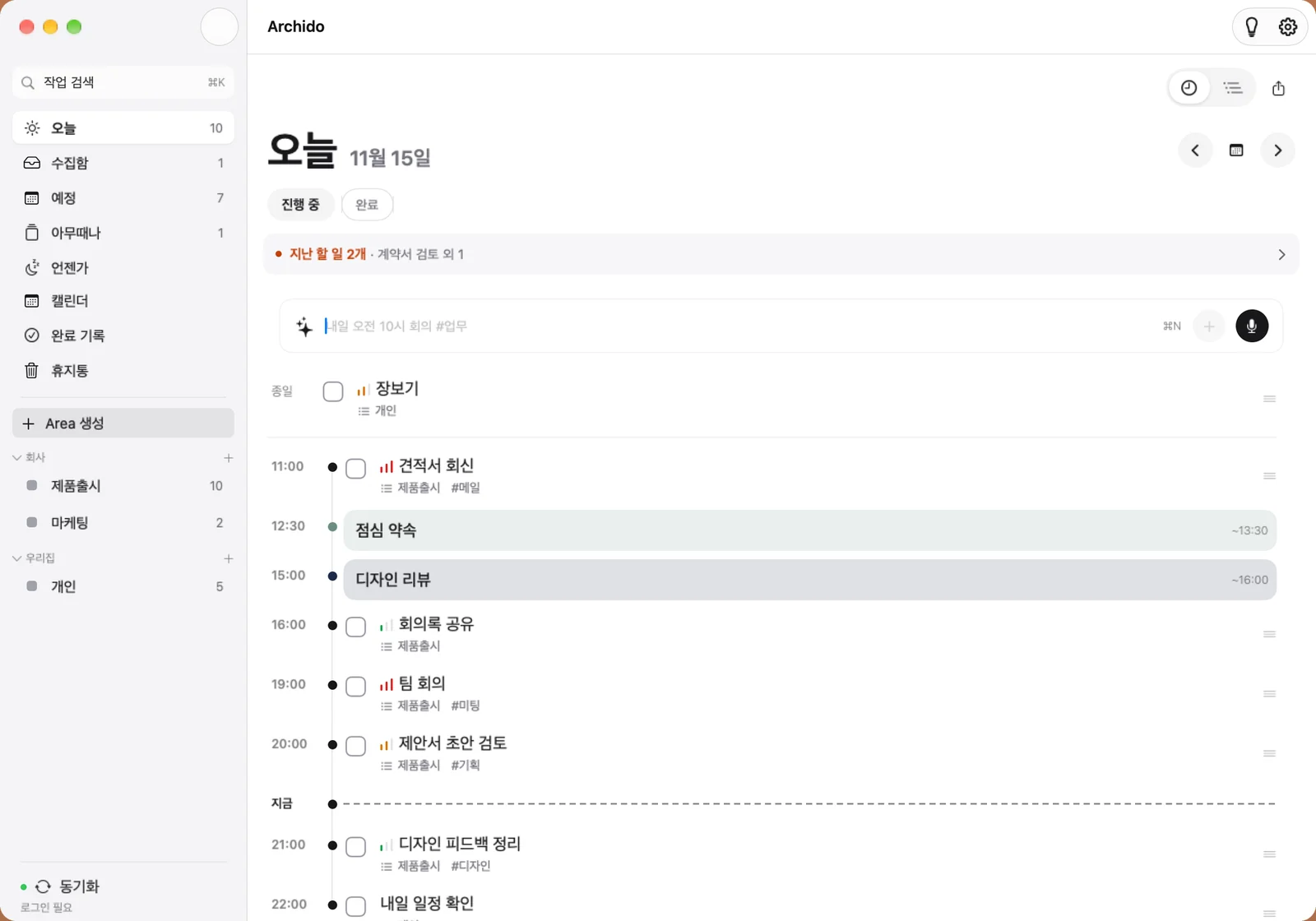
QUICK ADDWrite a sentence,
Write a sentence,
the rest takes care of itself
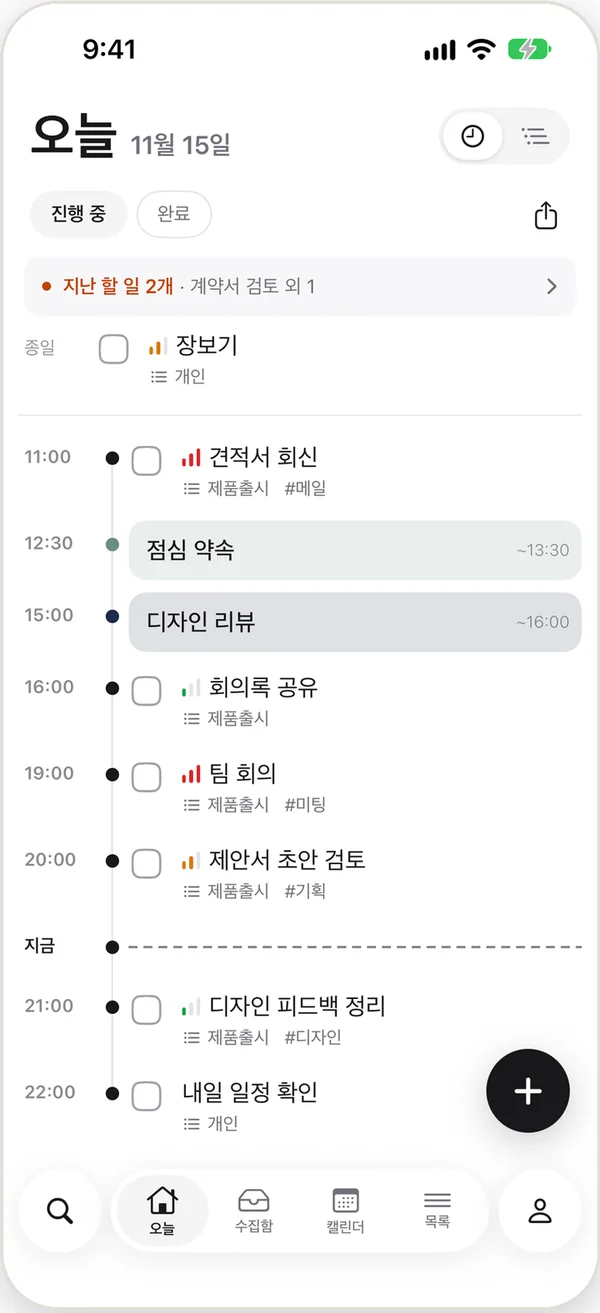
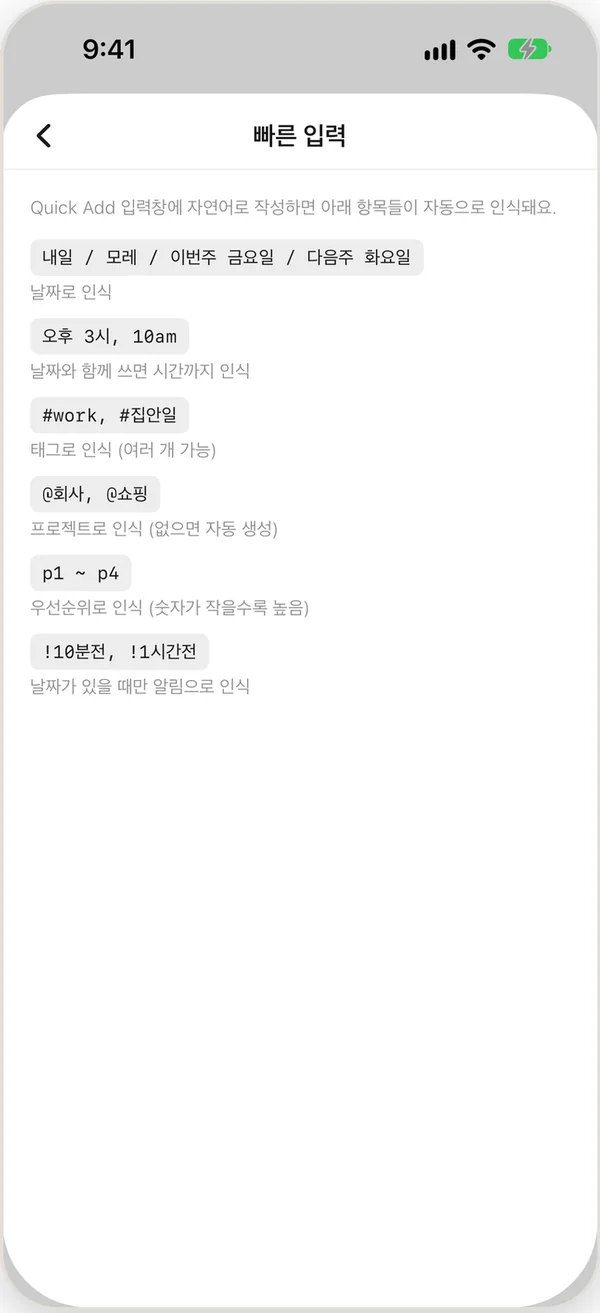
Type the way you talk, and the date, time, tags, project and priority are added automatically. Share from another app or forward an email, and it becomes a task right away.
Meeting tomorrow 10am #work @office p1
- tomorrow 10am
- Date & time
- #work
- Tag
- @office
- Project
- p1
- Priority
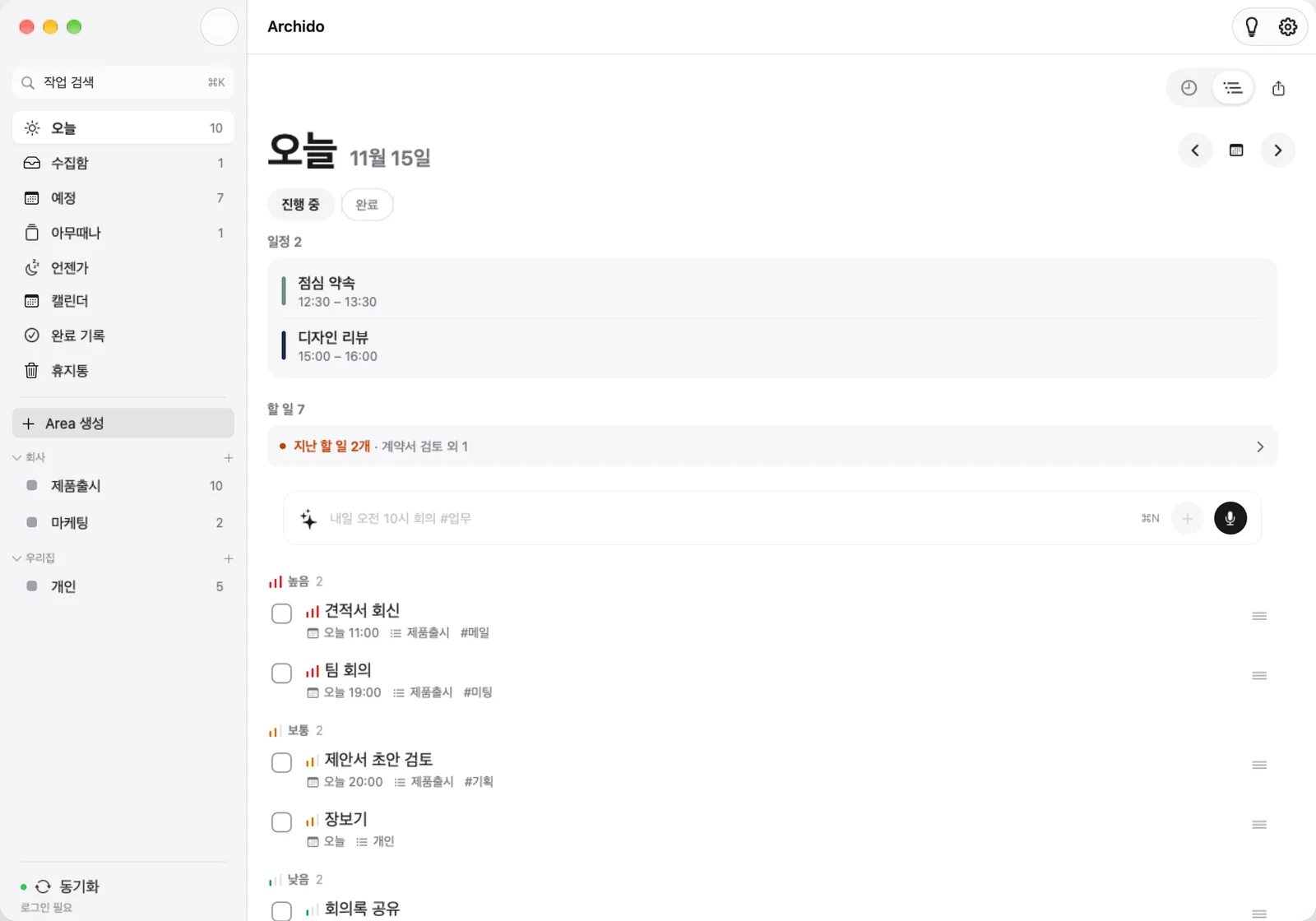
PRIORITY
Two views: timeline and priority
Skim your day in time order, or sort by what matters most. Just drag and drop to reorder.
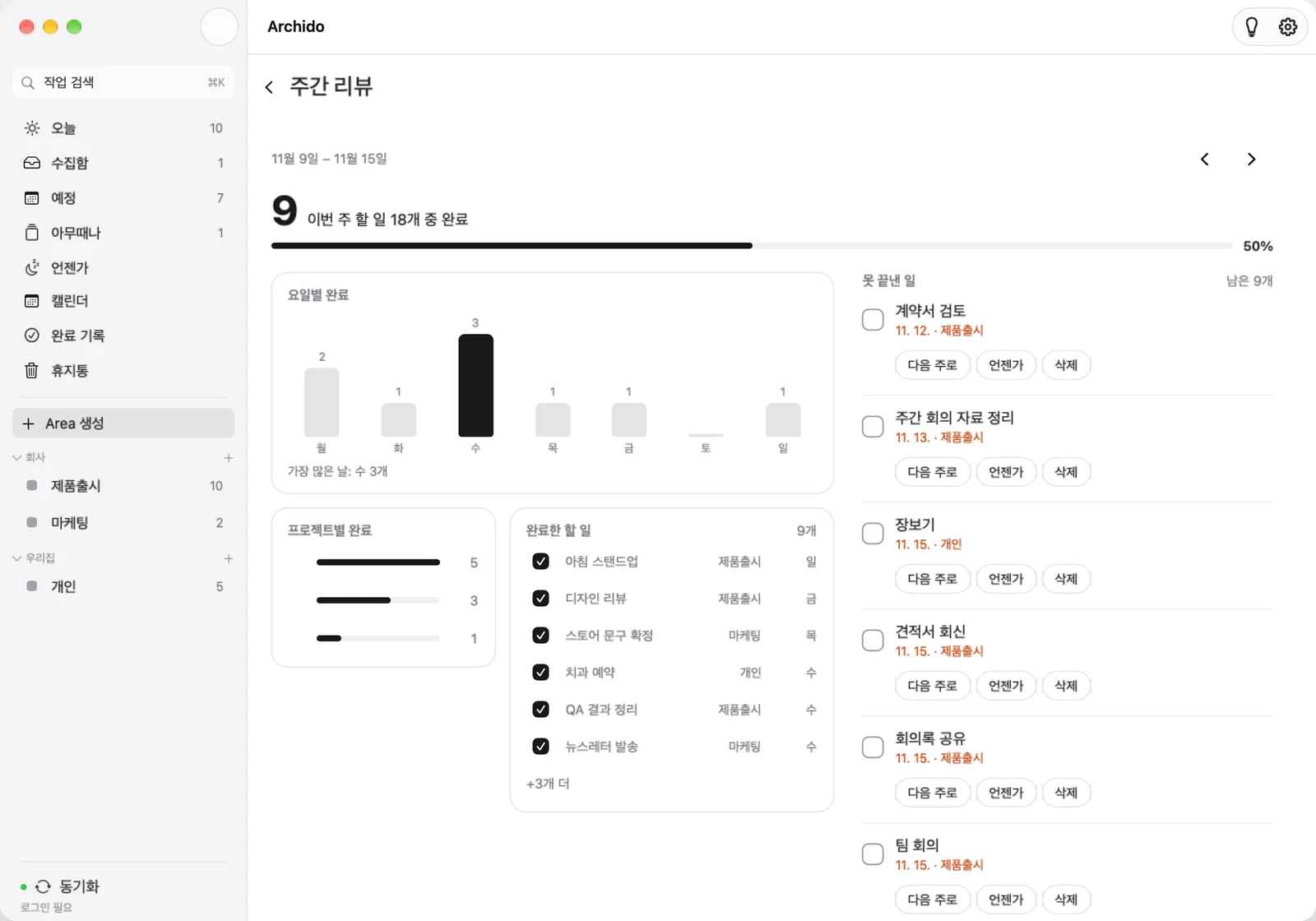
WEEKLY REVIEW
A weekly review to look back
See what you finished this week and how each day went, then move unfinished tasks to next week or someday.
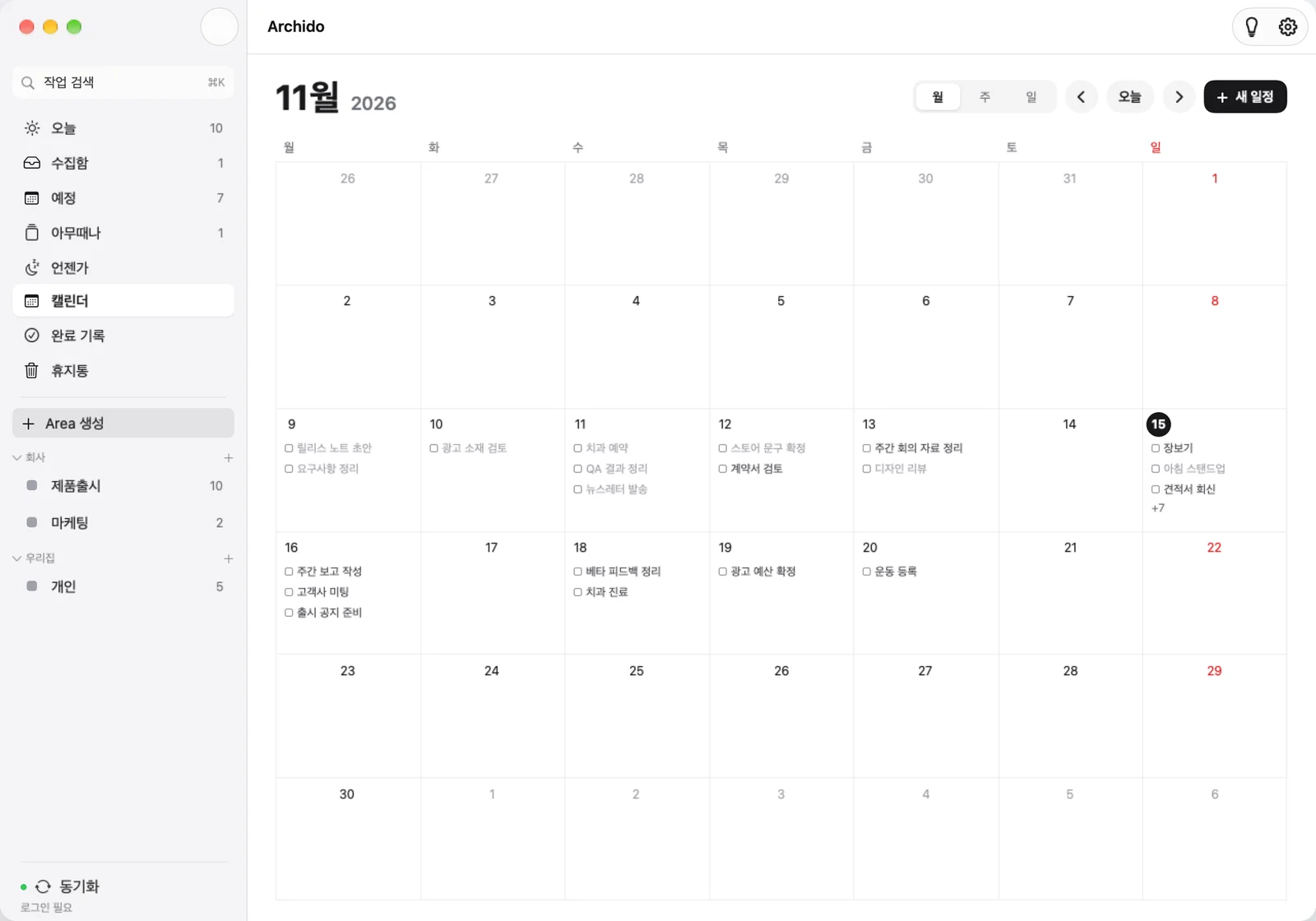
CALENDAR
Your calendar, on the same screen
Two-way sync with Google and Apple Calendar means no more managing events and tasks separately.
Start today by writing it down
Core features are free. Get started on any single device.
Get started at archido.appApp Store · Google Play · Microsoft Store