
Multiple AIs debate together,
and review your documents together
Bring the Claude, Codex and Gemini you already use into one room. Let them hear each other out and reach a conclusion.
One tree of thought at a time,
a forest grows
Grusoop combines the Korean words gru (a unit for counting trees) and soop (forest). Each thought from a person or an AI is one tree; together they become a forest of ideas where conclusions grow.
Debate, review, and chat directly
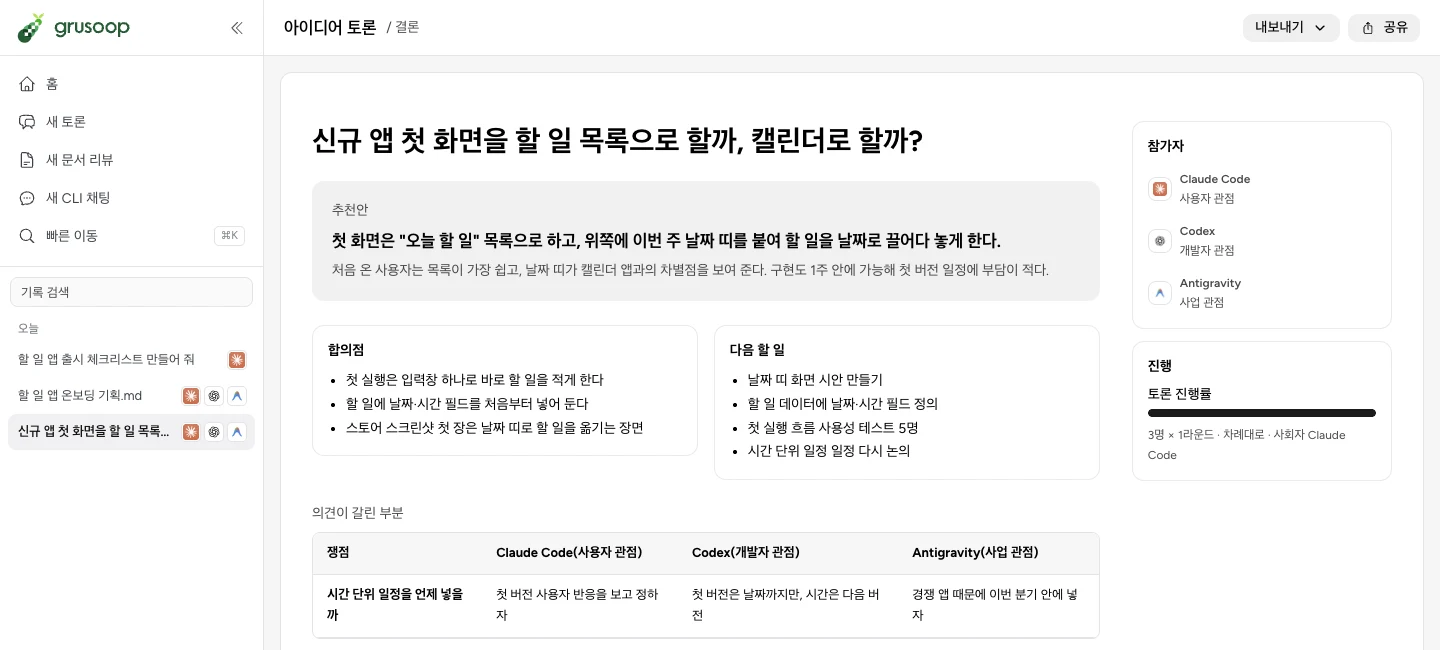
Idea debate
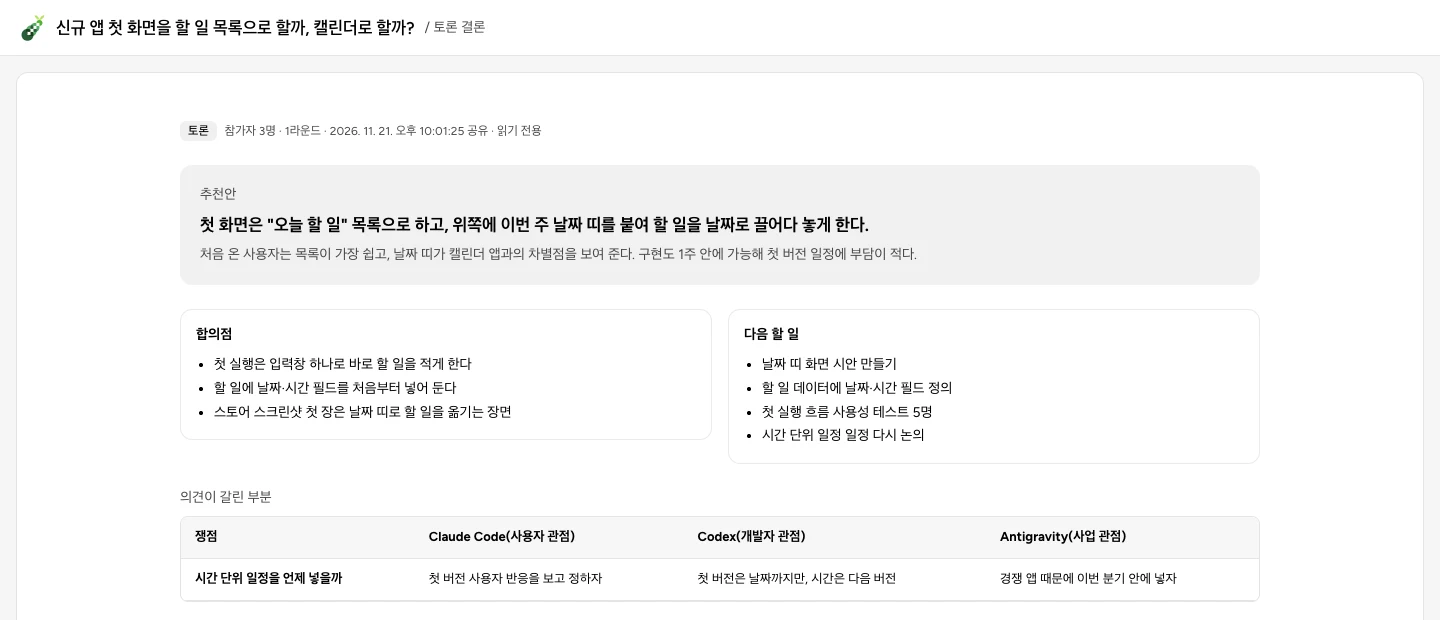
Pose a topic and multiple AIs debate it from different angles — business, user, engineering, devil’s advocate. At the end you get a recommendation, points of agreement, open issues and next steps. Not happy with the result? Set a direction and keep the debate going.
- Turn by turn
- All at once
- Moderated
Document review
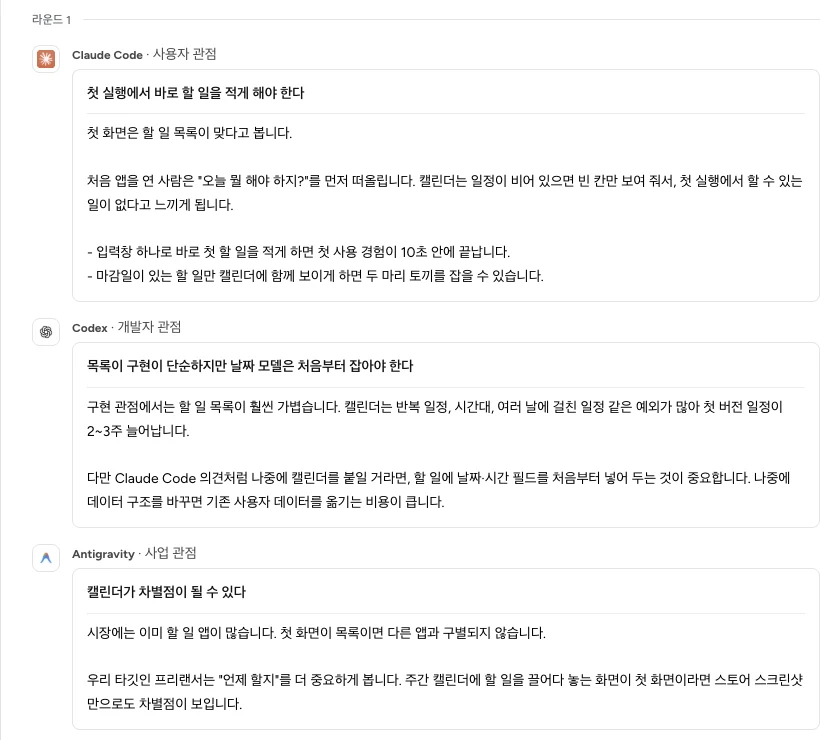
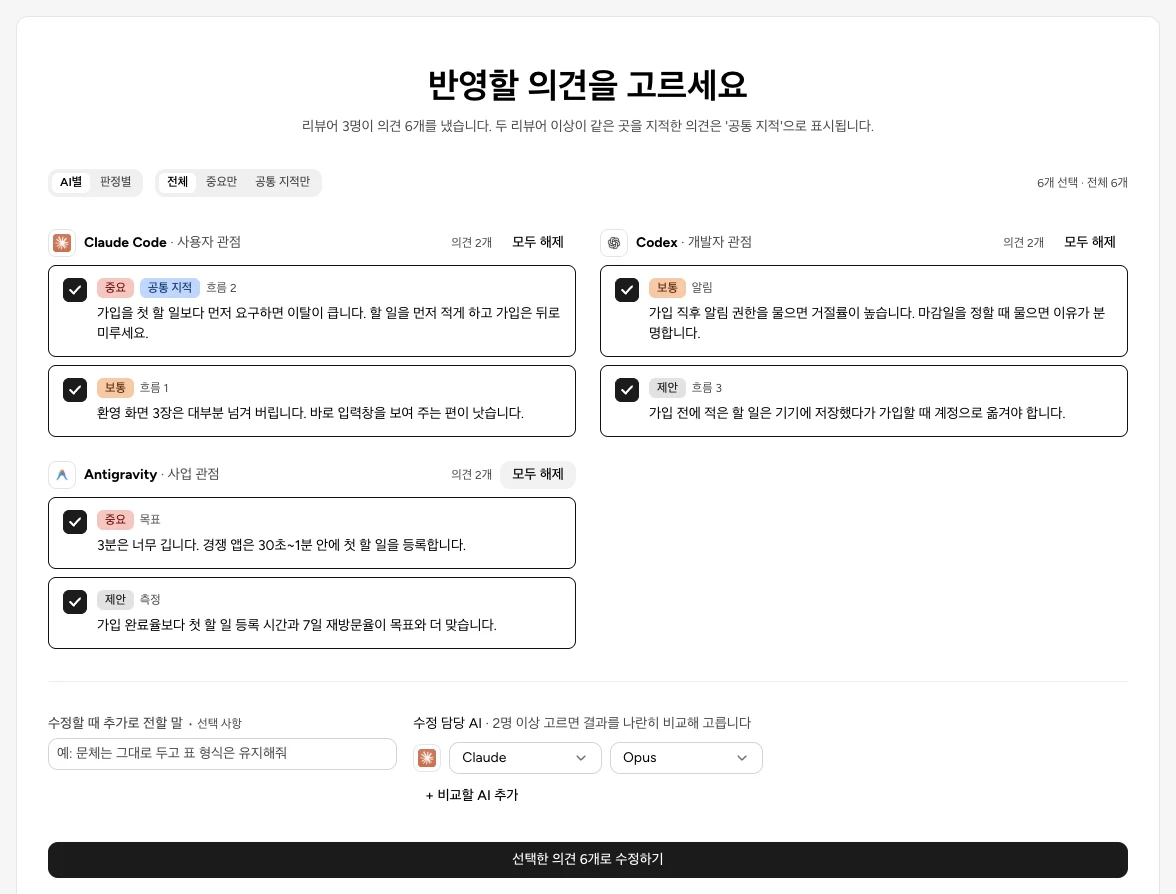
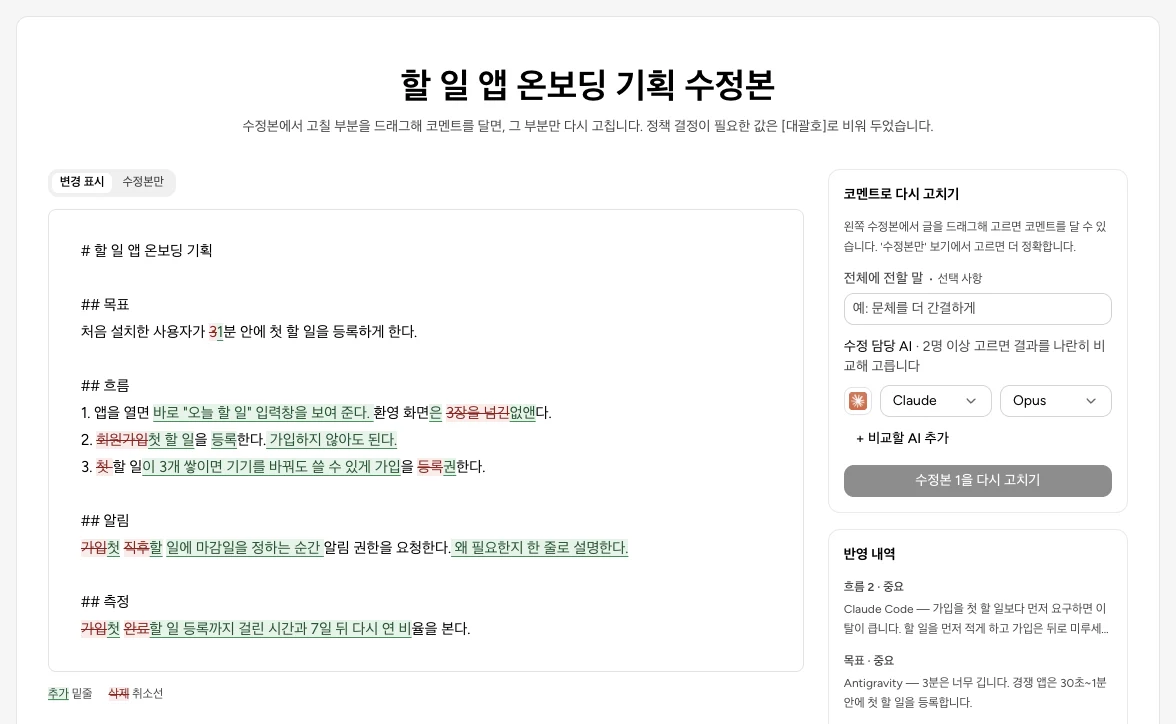
Upload a plan or policy document and several AI reviewers sort their feedback into critical, normal and suggestion. Pick only what you accept, and get a revised draft you can compare side by side with the original. Long documents are reviewed in parts.
- Critical · Normal · Suggestion
- Diff view
CLI chat
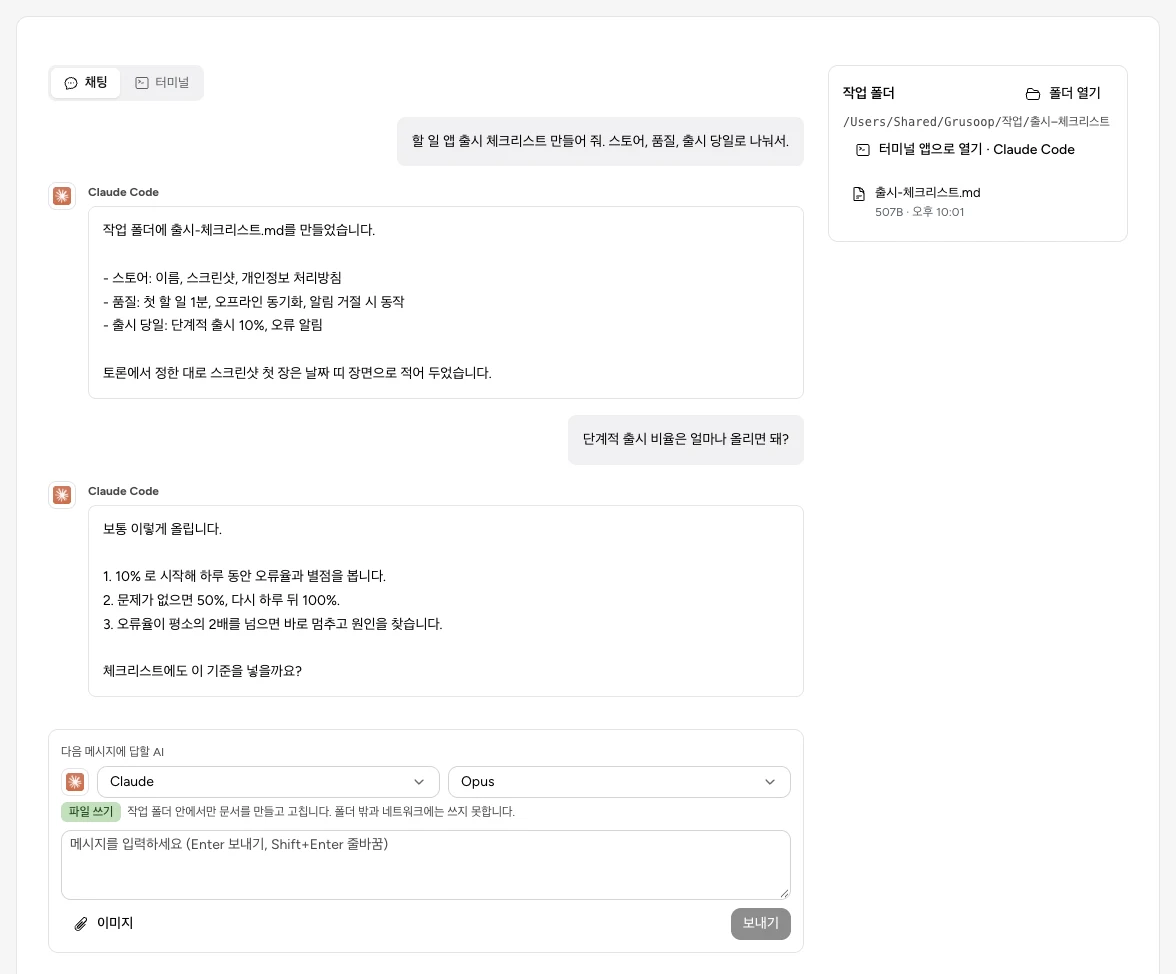
Open each AI’s CLI right inside the app, as a chat or a terminal. Claude and Codex can create and edit documents directly in your working folder.
- Chat
- Terminal
- Working folder
What makes it different
Use your existing AI plans
No separate API keys or new subscriptions. Grusoop uses the AI CLIs you’ve already installed and signed in to. OpenCode even works with free models, no account needed.
Runs on your computer
Your documents and history stay on your computer. The app calls the AI CLIs directly, without going through any other server.
Share with a single link
Share a debate conclusion or review result as a link — recipients view it in their browser without installing or signing in. Turn sharing off and the link closes immediately.
Export where you need it
Send results to Word (DOCX), Excel (CSV), Confluence or Notion pages, and Jira tickets.
Supported AIs
On first launch, Grusoop finds the AIs installed on your computer. If there are none, it walks you through installing one inside the app.
Download Grusoop
What’s new in v0.2.0Link sharing now works without signing in, and the Mac app is signed and notarized with a Developer ID.
How to install
Mac Open the dmg and drag Grusoop into your Applications folder.
Windows Run the installer and follow the steps. A shortcut is added to your desktop.
The Mac app is signed with an Apple Developer ID and notarized, so it opens without warnings. To check your Mac’s chip, open the Apple menu → "About This Mac".
System requirements
- macOS 12 or later (Windows version coming soon)
- At least one AI CLI (you can install one from the app)
- Memory: about 170MB for the app, plus 300–500MB per AI CLI
FAQ
Is it free?
The app is free and open source (MIT). AI usage is billed through your own AI service subscription.
What do I need?
At least one AI CLI. If you don’t have one, the first-run guide helps you install it.
Are my documents uploaded anywhere?
Debates and reviews are handled by the AI CLIs on your computer, and history is stored only there. Only results you explicitly share with "anyone with the link" go to the sharing server, and they’re deleted when you turn sharing off.
How do I use it with my team?
Everyone installs it on their own computer, and you share results with links.